Agentic AI Bootcamp
Create agents, automate tasks and master AI tools to become 10x productive.
What you will leave with
Building AI agents that find jobs, leads & opportunities on autopilot
Creating high-conversion cinematic video ads and static social ads
Deploying a real working website ready to bring you business
Claude skills automation for business KPI dashboards & decks
Implementing a customer service voice agent that answers calls 24/7
Certified AI-native professional with course and live project certificates
Is this cohort for me?
62%
higher pay for jobs that ask for AI skills
170 million
new jobs by 2030, led by AI skills
600%
growth in demand for AI fluency
The demand for AI fluency is clear, and so is the urgency. But are you getting the most out of Claude or ChatGPT, or still using them as a chatbot? Can you use them to automate your work, build a website, or create slides and dashboards, and win back hours every week? If not, this is the gap this cohort closes.
We build up from the basics, one step at a time. No technical background needed.
We go deep on 5 to 6 core tools instead of dozens. The principles carry over to any new tool.
Each session focuses on a real business use case over theory, for you to build on.

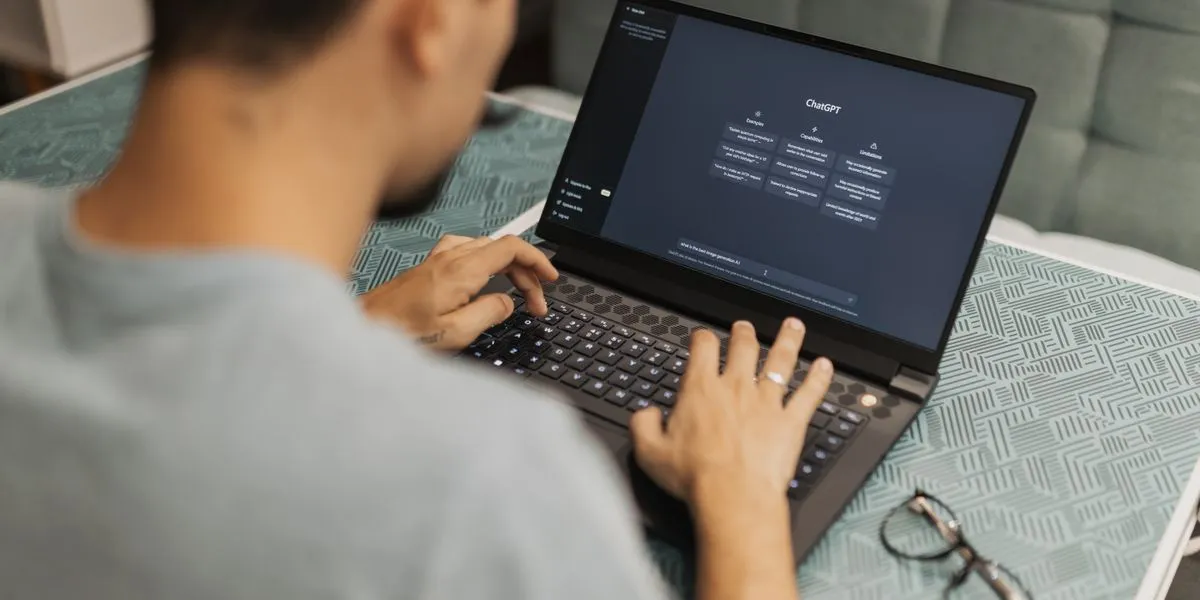

By the last weekend, you’ll be able to build agentic systems doing real work for your use cases.
Session structure
Each live session is a mix of concepts and application.
Session 1: GenAI Foundation - How Claude and ChatGPT Work
Topics
- The jargon: Tokens, context window, reasoning, memory, caching and APIs
- Prompting: Best practices, structured output, prompt performance and evals
- Claude/ChatGPT/Gemini: Desktop app and CLI, MCP and connectors, and scheduled tasks
Apply
- Job hunter: Bot that identifies matching opportunities every day and saves them in Notion or Excel for you to review and apply in one go
Session 2: Agents, Skills and No-Code Automations
Topics
- AI agents: What is an agent? The components visualised
- No-code AI automations: Zapier and n8n workflows, Grok bot and computer use
- Skills in Claude and ChatGPT: SKILL.md, AGENTS.md, and scripts and automation in skills
Apply
- Study Buddy: Slack/Telegram chatbot that helps you revise topics from your study material
- Stock Screener: Skill that analyses stocks on price and volume candles and creates report
Session 3: Beyond Text Models - Image, Video, Voice and RAG
Topics
- Images and videos: On-brand creatives, cinematic shots, AI avatars and motion graphics
- Voice AI: Speech-to-text and text-to-speech use cases (Sarvam, ElevenLabs)
- Embeddings, RAG and decision agents: Search by meaning, classify and OCR
Apply
- FMCG video ad: Create a video product ad, from script to final cut
- Support call agent: Answers support calls and logs each one in a sheet
- Instagram content engine: Creates and schedules your posts and stories
- Quick demos: Meeting transcription, "find similar clothes" search and finding certain types of bank transactions
Session 4: AI for Work - Research, Analytics and Dashboards
Topics
- Research: Market/competitor analysis, lead discovery, search ranking and price monitoring
- AI in Excel: Financial modelling using Claude in Excel, skills for routine CSV processing
- Dashboards: SQL essentials and a live dashboard for KPI tracking
Apply
- Live dashboard: Track the performance of your department or business KPIs
- Skills in Excel: Automate your daily processing of Excel files
- Lead finder: Qualified list of people or businesses for cold outreach
Session 5: AI for Work - Presentations, Design and Product
Topics
- Presentations: Build consulting-style slide decks, and best practices for effective decks
- Branding and design systems: Typography, colours and spacing for brand consistency
- AI product management: Product specs/PRDs, webpage copy framework and prototyping
Apply
- Business review deck: Monthly review deck that refreshes from automated data fetching
- Landing page: Engaging landing page copy and a mock design for an Indian restaurant
Session 6: Vibe Coding - Build Your Web App and Backend
Topics
- How the web works: Websites and mobile apps, APIs, networking, servers and databases
- Frontend: Turn the last session’s copy, design and feature scope into a live web page
- Backend: Server functions, database and authentication using Supabase and GitHub
Apply
- Live web app: Build a live web application from the Indian restaurant specs and design
- Personal portfolio: Create your own personal website
Session 7: Vibe Coding - Deploy, Track and Launch
Topics
- Publish your app: Deploy on Cloudflare, add a domain and create a company email address
- Google Analytics: Identifying the lead channels, event tracking and funnel optimisation
- Best practices: Performance audit, business regulations, payment gateways, and the incorporation process and timelines
Apply
- Launch day: Publish the Indian restaurant app and the personal webpage we created
Session 8: Marketing and Distribution - Ads and ROI
Topics
- Paid ads: Google Search and YouTube ads, Instagram/Meta ads, and the Meta Ad Library
- SEO and AEO: Appear in Google Search and get cited in ChatGPT and Claude answers
- Measuring ROAS: Your spend vs returns, CPC, CAC and customer lifetime value
Apply
- Ad-idea finder: Mine the Meta Ad Library for trending products and ads
- Live walkthrough: ArcSigma Academy’s own Google and Meta Ads dashboards
Final Project - Choose, Build and Earn a Certificate
Build your own project and submit it within 4 weeks after the cohort for a live project certificate and verified CV points.
Meet your instructor

Shriram Deshmukh
Shriram has more than six years of experience in strategy, finance and tech at companies serving the Indian and US markets. An alumnus of IIT Bombay and IIM Calcutta, he has worked directly with CXOs, leading multi-million-dollar initiatives.
How it works

Pick your cohort
Choose from the list of available cohorts. Reserve your seat for free and pay anytime from the arcsigma.com website* to confirm. Seats are limited.
Join live on weekends
Two live ~1 hr Zoom sessions every weekend, each with content and a hands-on demo. Recordings and materials are shared afterwards.
Build and get certified
Submit your project within 4 weeks after the cohort for a live project certificate and verified CV points, plus a course certificate as the cohort ends.
*We accept payments only through our website and not through any payment links or other medium.
Frequently asked questions
Who is this cohort for?
Anyone who wants practical, hands-on skills in using AI beyond chat apps, and to build systems that get things done on autopilot.
Do I need any prior experience?
No prior experience is needed. We start from the basics and build up each week, so you’re confident applying what you learn to your own use cases.
Why this cohort if content is free online?
There is plenty of free content on the internet; some of it is helpful and some is just clickbait. We save you the time of sorting through it. A fixed schedule also beats procrastination and the need for self-discipline, as you set aside dedicated time for it.
How much time will it take each week?
Two live 1-hour sessions every weekend, on Saturday and Sunday: 8 sessions in total across 4 weeks. Each session is a mix of concepts and application.
What if I miss a live session?
Every session is recorded and shared within 24 hours, so you can catch up before the next one. All the materials used (slides, designs, files and more) are available to download.
Do I get any certification?
Yes, you get a cohort completion certificate you can add to LinkedIn. You also get a live project certificate when you successfully submit your project after the cohort ends, with 2–3 points verified by us that you can add to your CV.
How do I pay, and can I get a refund?
Choose your cohort, reserve your seat for free and pay from your dashboard any time before the cohort starts to confirm it. If you change your mind, you can cancel any time before the cohort starts, as per our Cancellation & Refund Policy.
Ready to get started
Reserve your seat for free, pay any time before the cohort starts to confirm.
Next cohort starts 21 Nov, INR 7,999USD 79.99